From the briefto closing time.

EasyRest brings together what a restaurant now runs on WhatsApp, paper and a whiteboard: the team brief and targets, hours and takings, day closing, training, faults and orders. Everyone on the team sees exactly what they need, on the phone or on the computer.

  • iPhone and Android
  • And on the web
  • Hebrew, English, Arabic

Today the restaurant runs on WhatsApp, paper and a whiteboard.

Each one works on its own. Together, nobody knows what was read, who closed and what was left open. EasyRest puts it all in one place, in the language of a restaurant.

TopicTodayWith EasyRest
BriefA long message in the group chat that half the team never read.One brief, written once, on every phone, and you see who read it.
TargetsA number on the whiteboard, and tomorrow nobody remembers if it was met.A target with a prize in today's brief, and a real result the next day.
Hours and takingsA sheet of paper at the end of the shift, and sums by hand at month end.The shift lead closes the day on the phone, and every line lands in the employee's notebook.
New hireLearns the menu from a colleague, while Form 101 waits in a drawer.Form 101, a signed contract and training, in the app, before the first shift.
FaultsA photo of a broken fridge, lost between the messages.A report with a photo, someone in charge, and the technician one tap away.

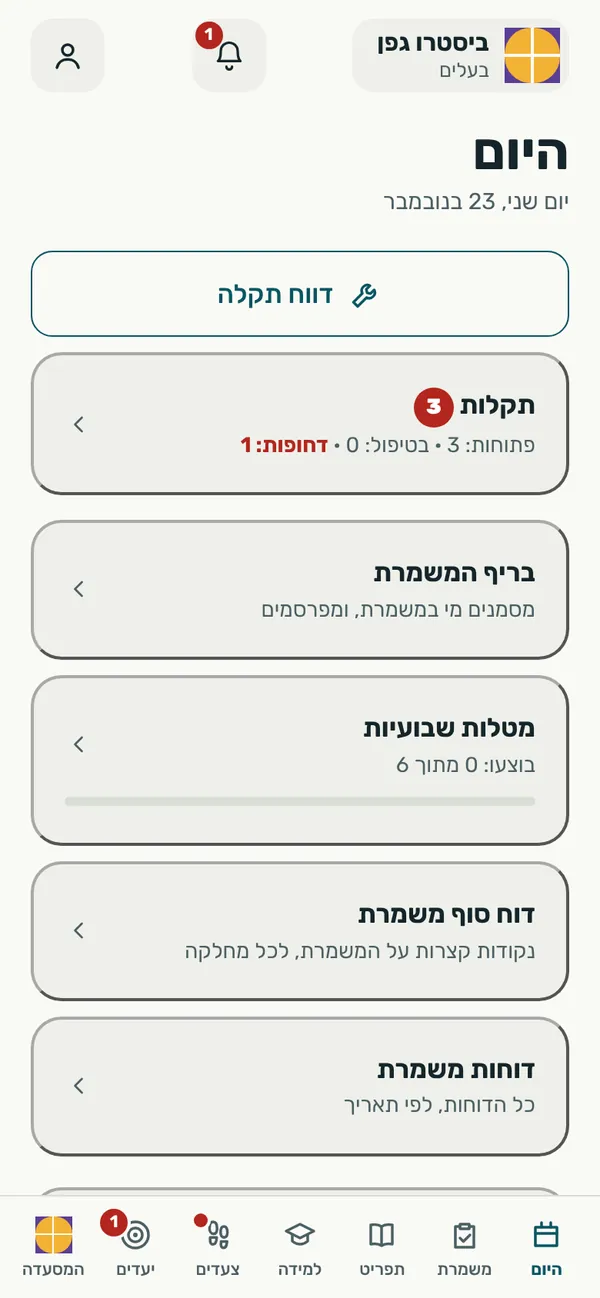
One day in the restaurant, from the brief to closing.

Every module is switched on separately, as the restaurant needs. This is how they look across a working day.

15:30

Before service

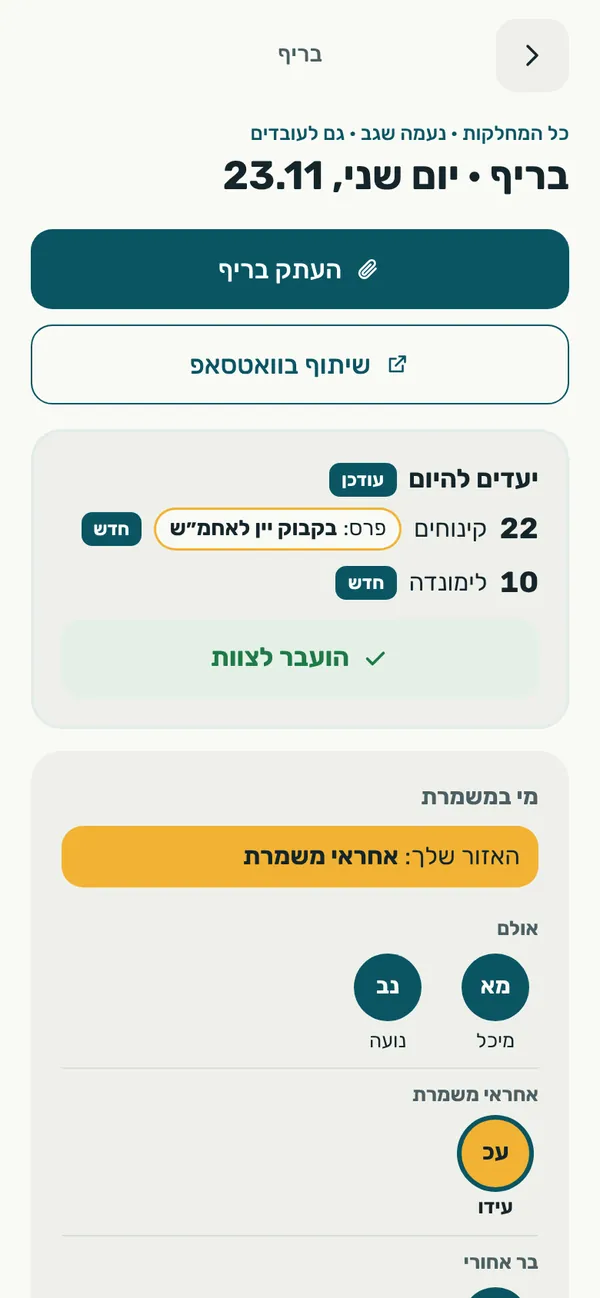
Today's brief, with the targets at the top

Daily brief and today's targets

The brief is written once and reaches every phone on the team: the dish of the day, what ran out, who is on shift and where. Today's targets sit at the top, with the prize, and anything changed after publishing is marked.

  • See who read it and who hasn't yet
  • Each department sends its part, the manager approves
  • Copy to WhatsApp in one tap, for whoever still needs it
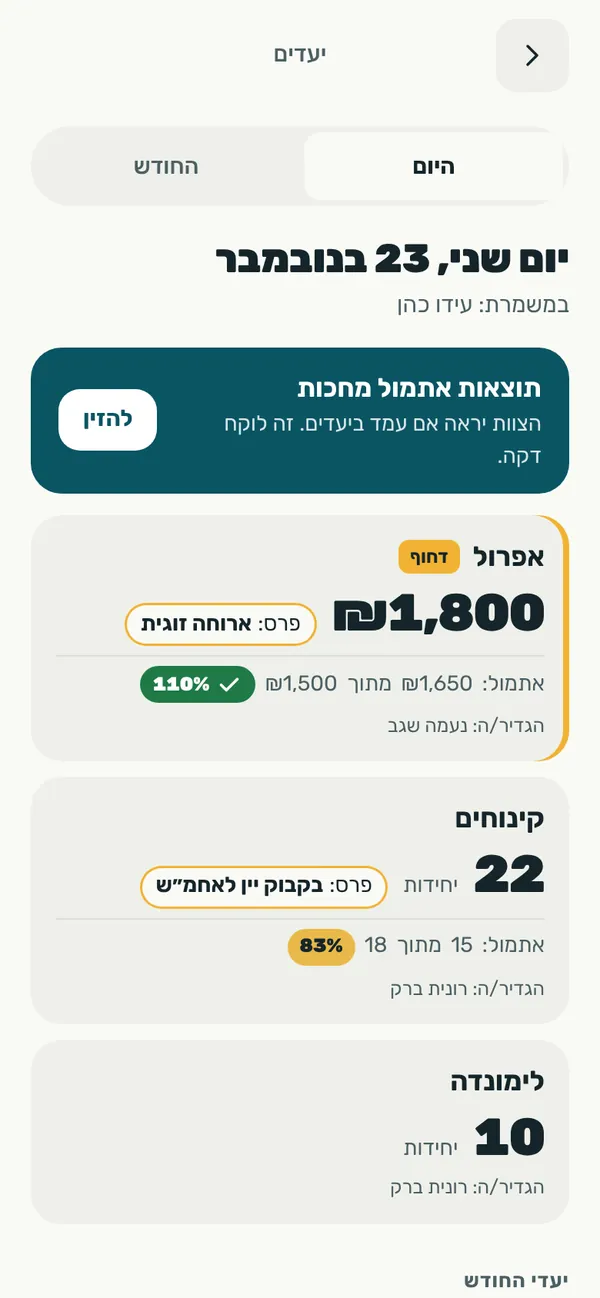
Today's target board

Sales targets

The owner sets the targets, and the manager adds today's, in units sold. Every target with a prize, and yesterday's result next to it.
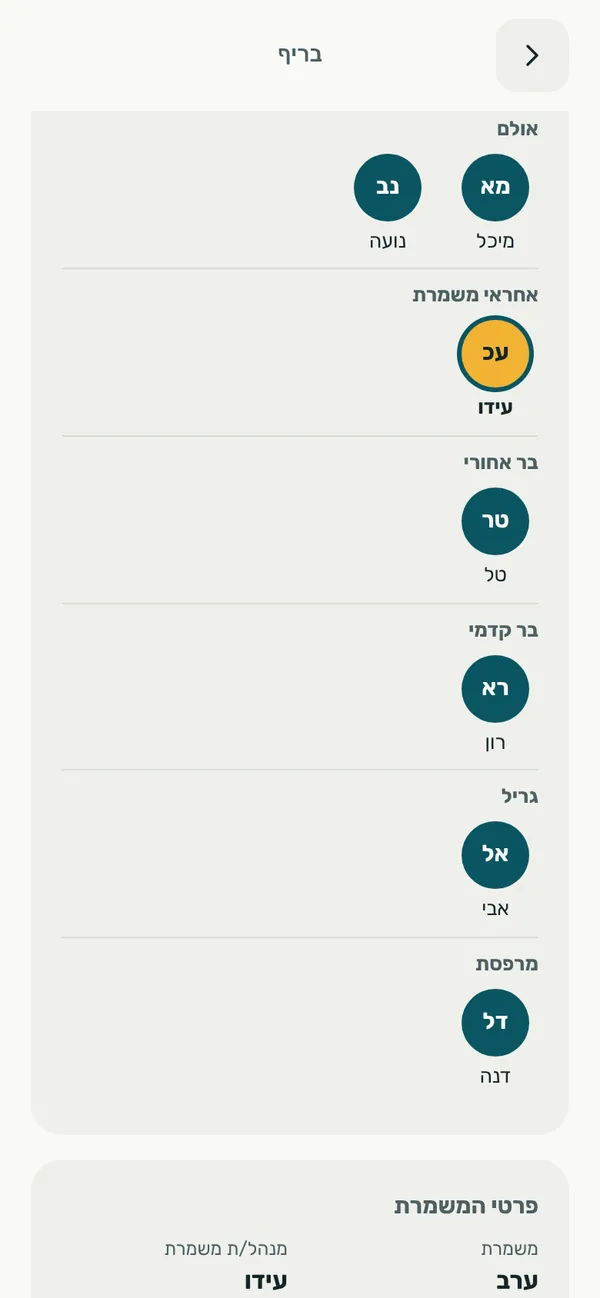
Who is on shift today

Who's on shift

Mark who works today and where, and each person sees their own area.
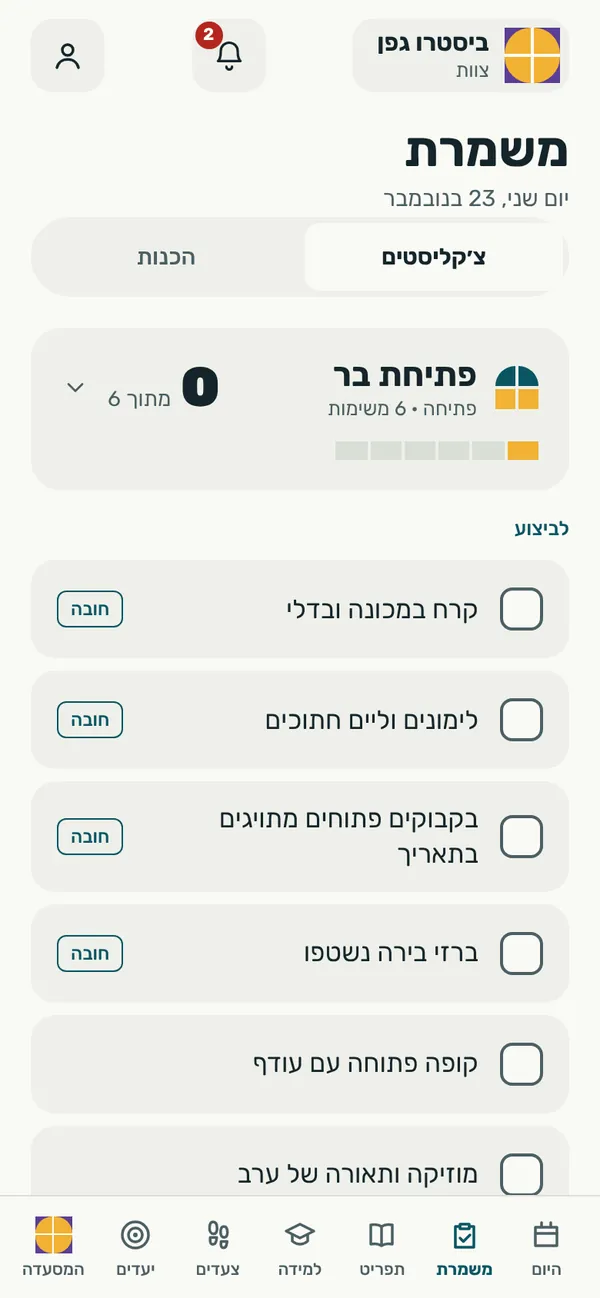
Bar opening checklist

Checklists

Opening and closing for bar, kitchen and floor, with who ticked what and when.
20:00

Mid-service

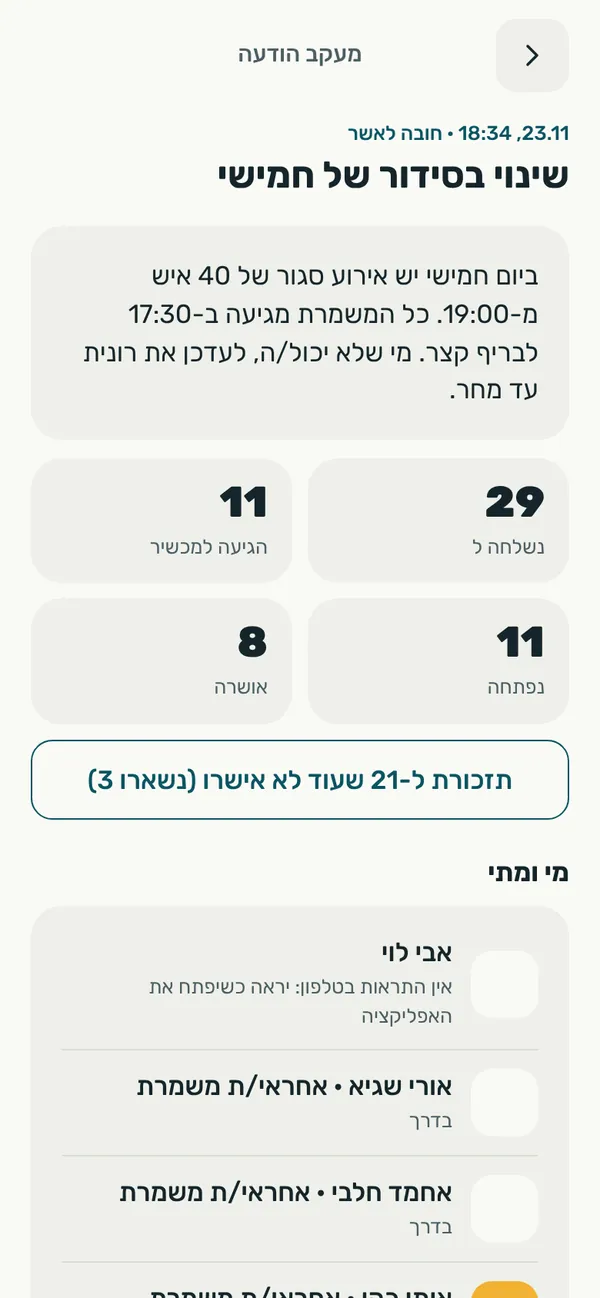
Message tracking: who read and who confirmed

Messages, polls and tasks

A message that pops up for the whole team, and a manager who sees who read it and who confirmed. A poll in two seconds, and a task with a due date and a photo.

  • "Read and understood" for what must be confirmed
  • Quiet hours for each person, and an urgent message that gets through
  • A reminder in one tap to whoever didn't read
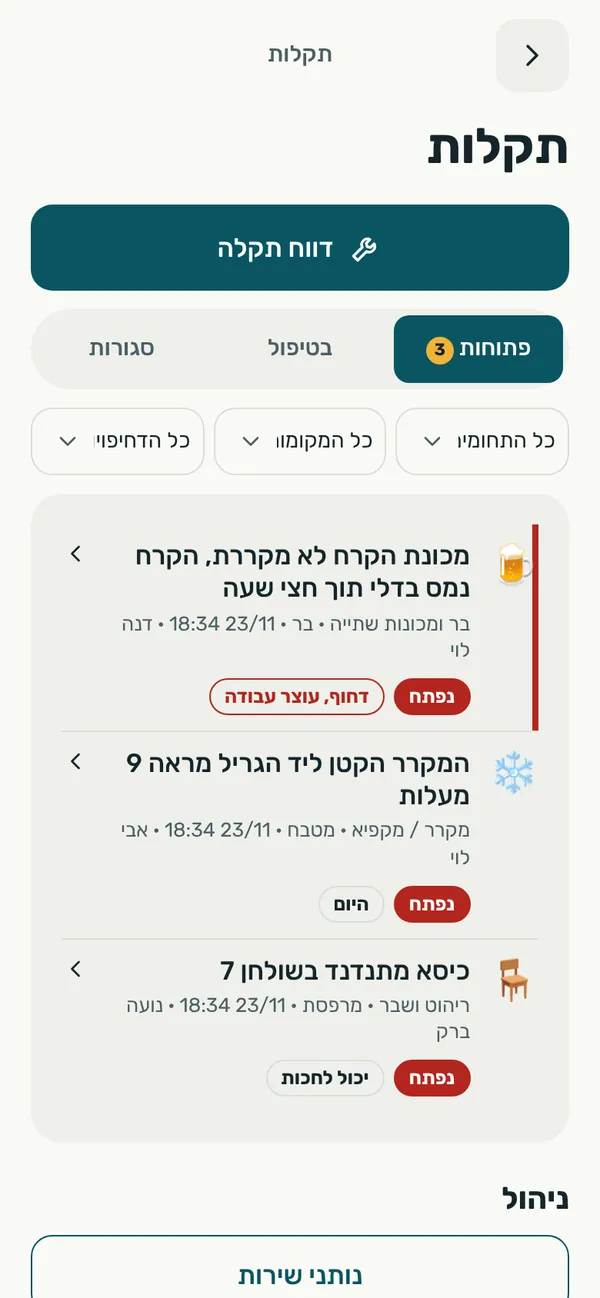
Open faults

Faults

Someone takes a photo and sends it, the manager is notified, and the technician is one tap away. Repair costs for the owner and manager only.

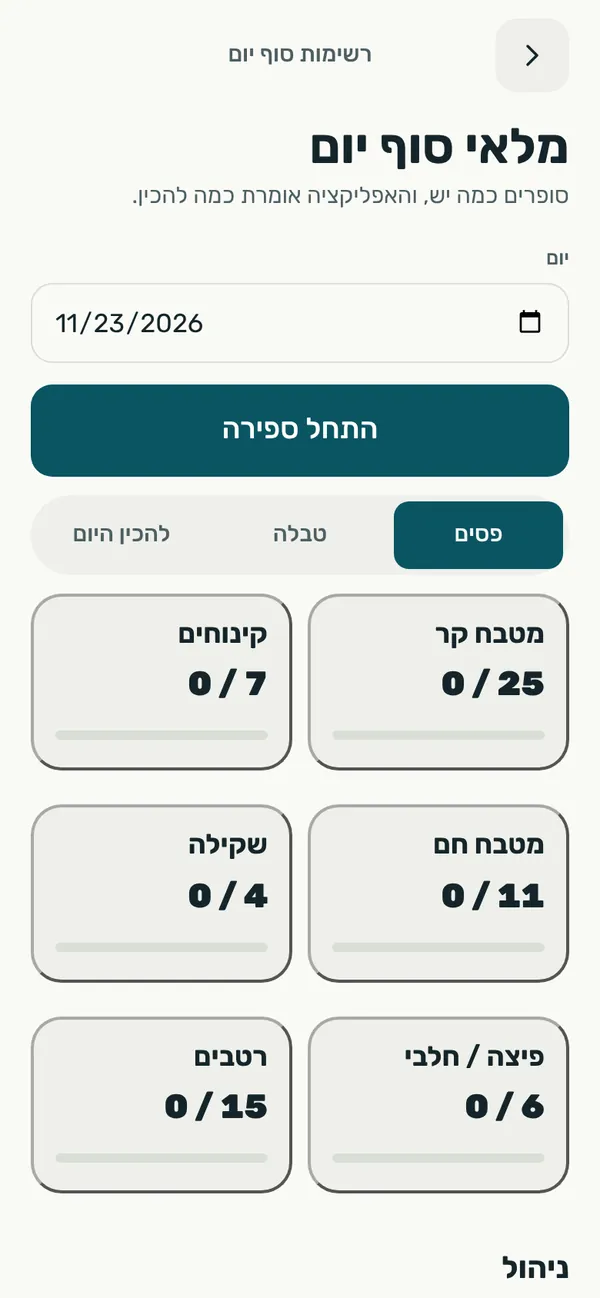
End-of-day kitchen count

Kitchen end of day

Cooks count by station, and the app says how much to prep for tomorrow.

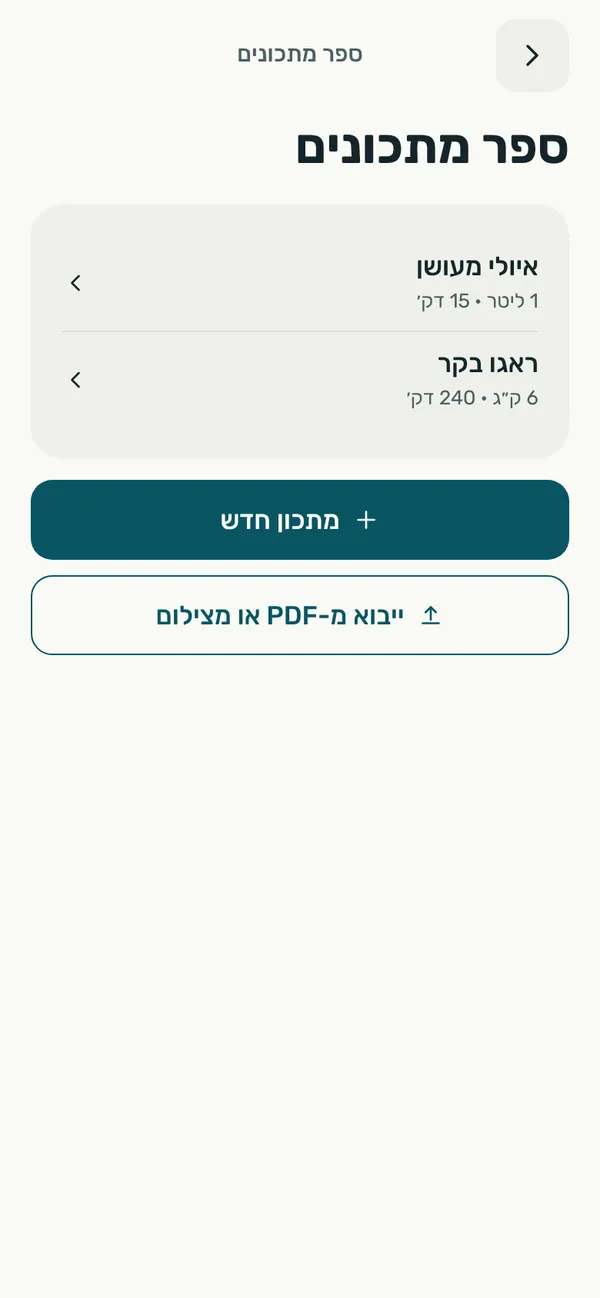
The recipe book

Recipe book

Recipe, quantities, allergens and shelf life, with every cook.

23:30

Closing

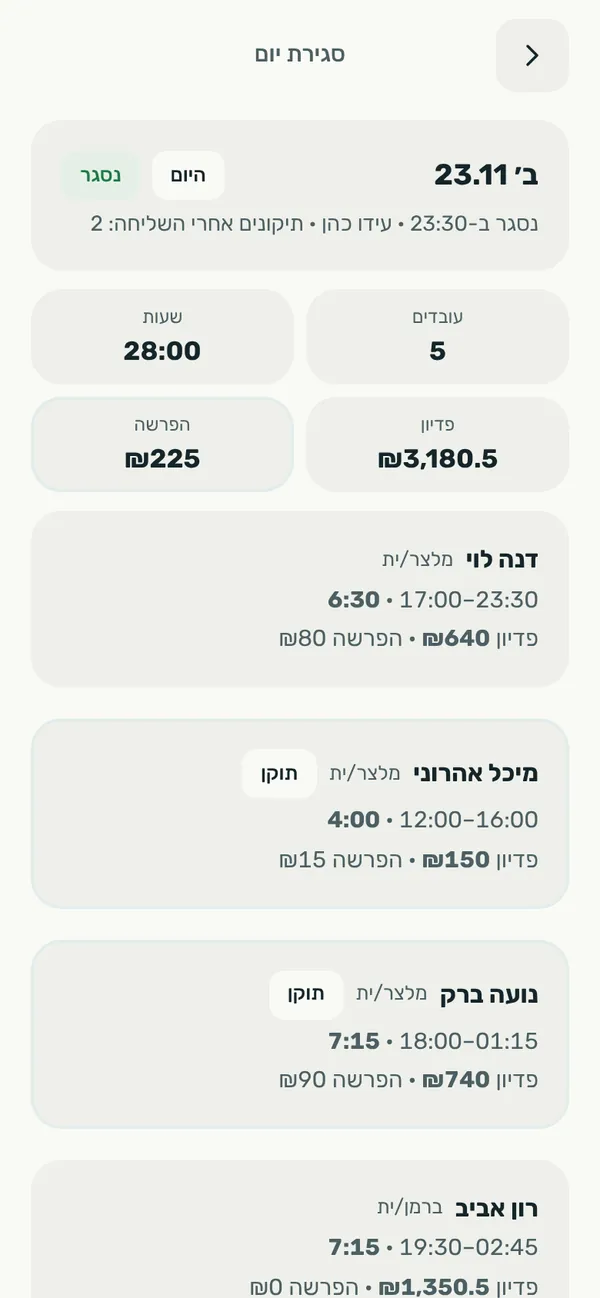
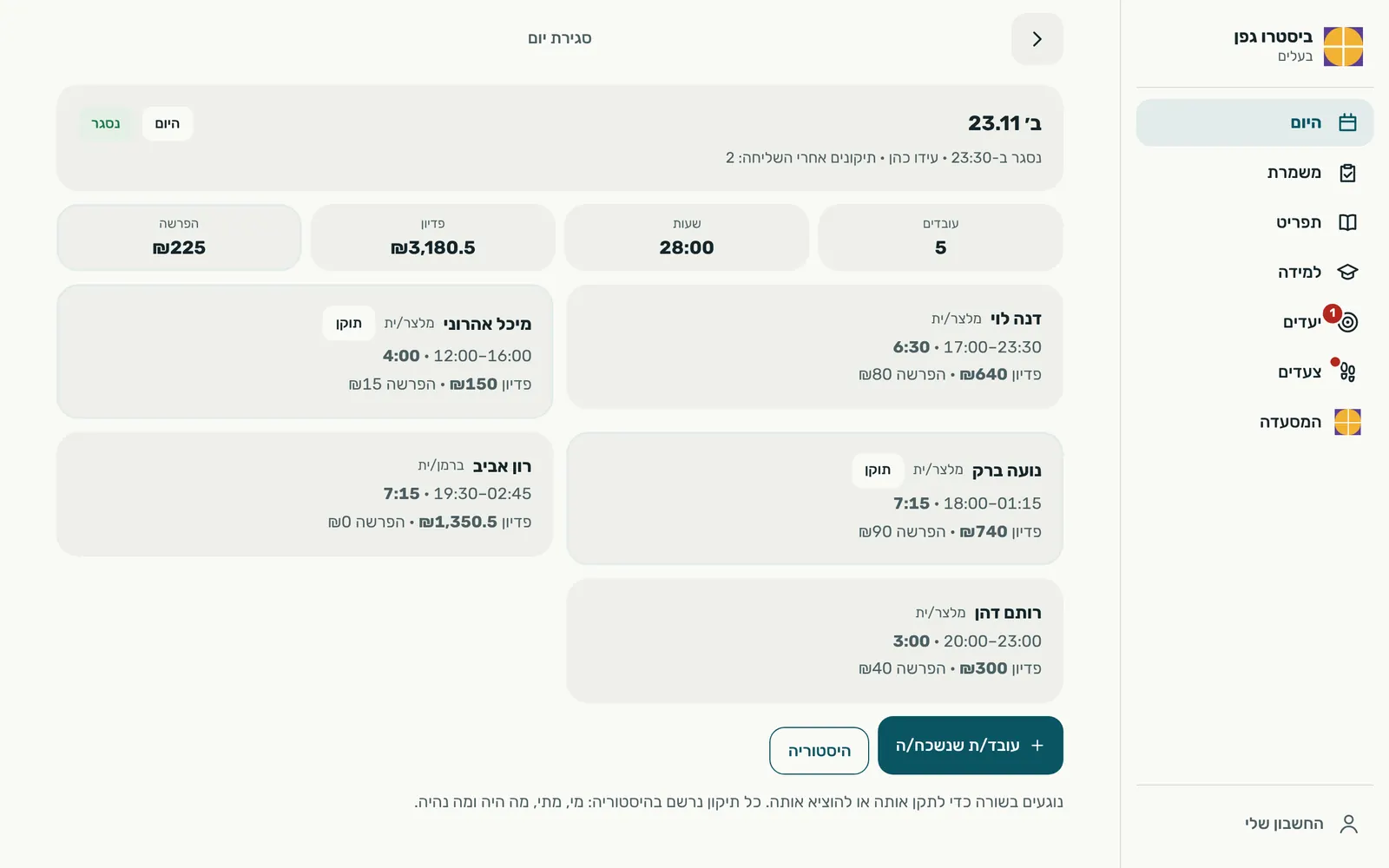
The shift lead's day closing

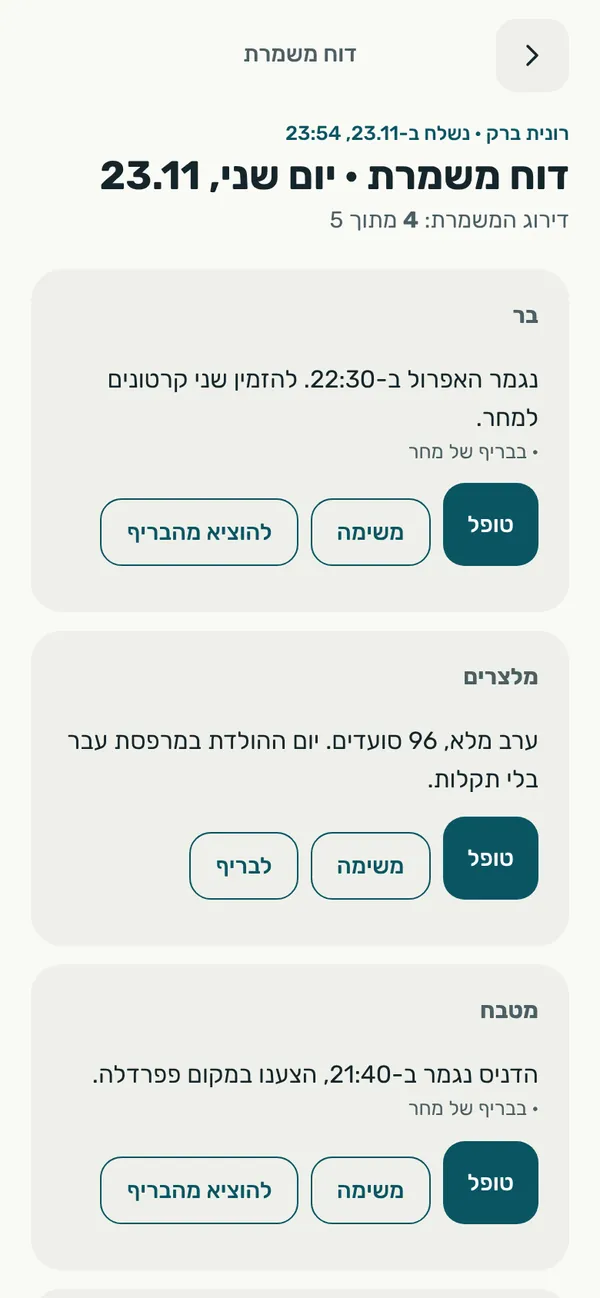
Day closing

The shift lead closes the day from the phone: in, out, takings and set-aside for everyone on shift. Hours add up on their own, past midnight too, and every line lands in that person's notebook.

  • Works without signal, and sends when it's back
  • Every correction is logged: who, when and what it was
  • At ten in the morning, the owner knows if a day wasn't closed
End-of-shift report

End-of-shift report

Points for each department that move to tomorrow's brief or become a task.

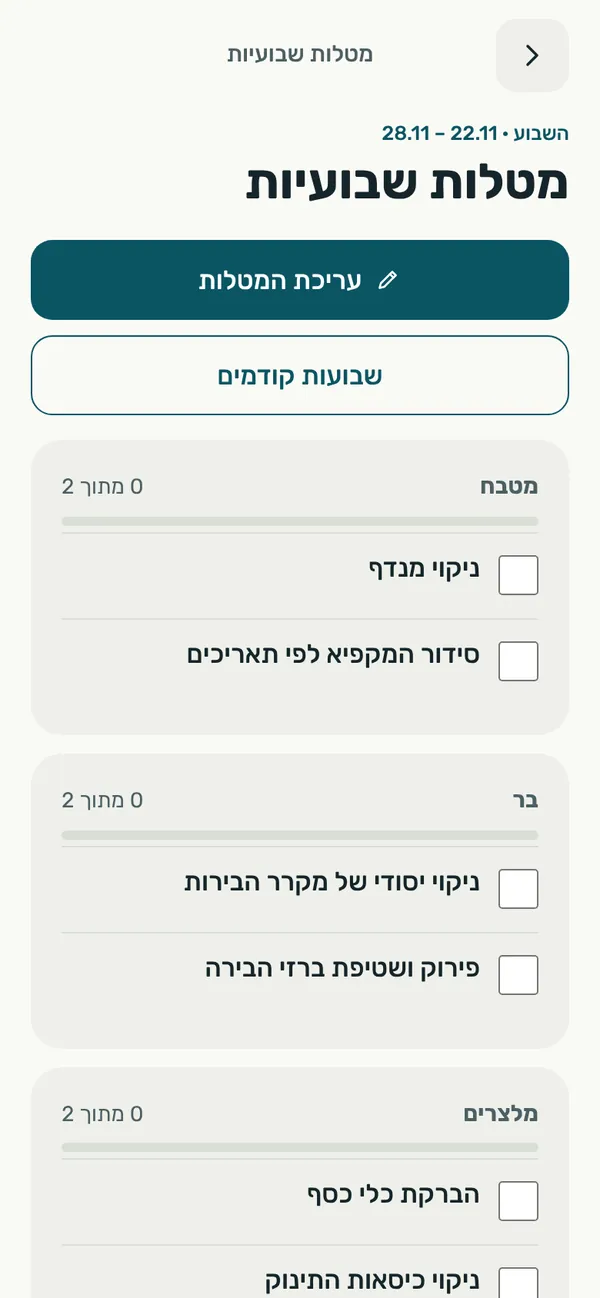
Weekly chores

Weekly chores

Deep cleans and recurring jobs for each department, reset every week.

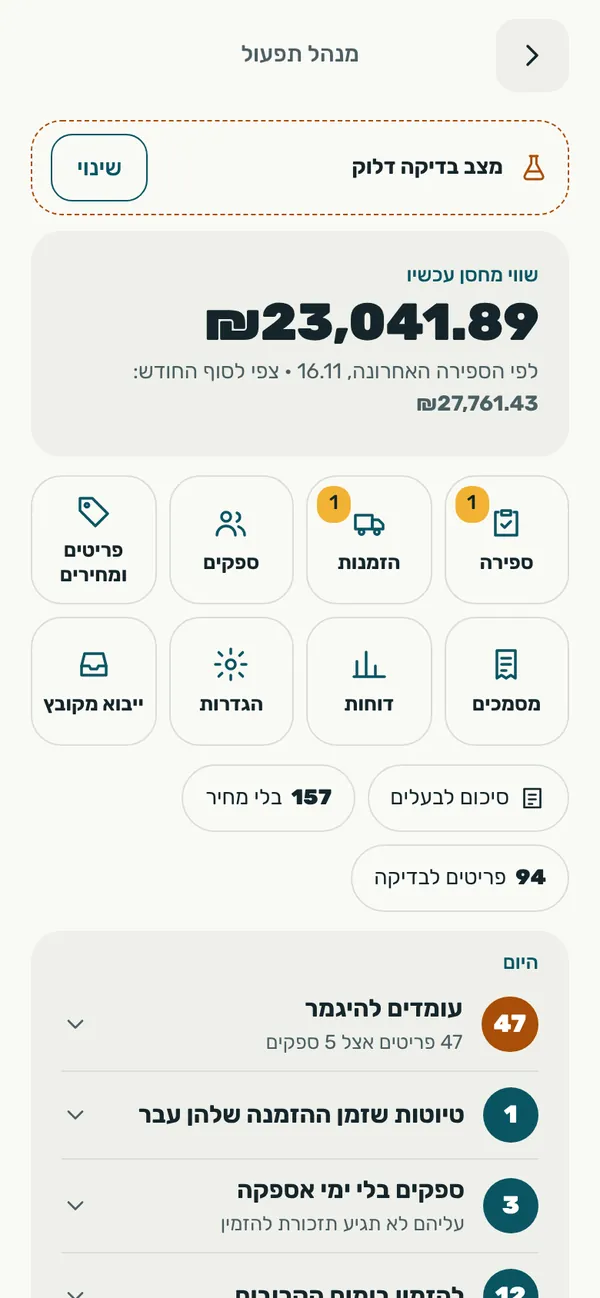
The operations manager

Stock and orders

Counts, supplier orders over WhatsApp, prices and food cost, in one operations module.

1st of the month

Month end

Day closing on the web

Hours, takings and the employee notebook

A monthly notebook for every employee: shifts, hours, takings, and the set-aside paid by cheque at month end. Export to PDF, CSV and Excel for payroll, right from the computer.

  • The owner decides who sees the notebooks
  • An employee can see only their own, read-only
  • A full history of every change
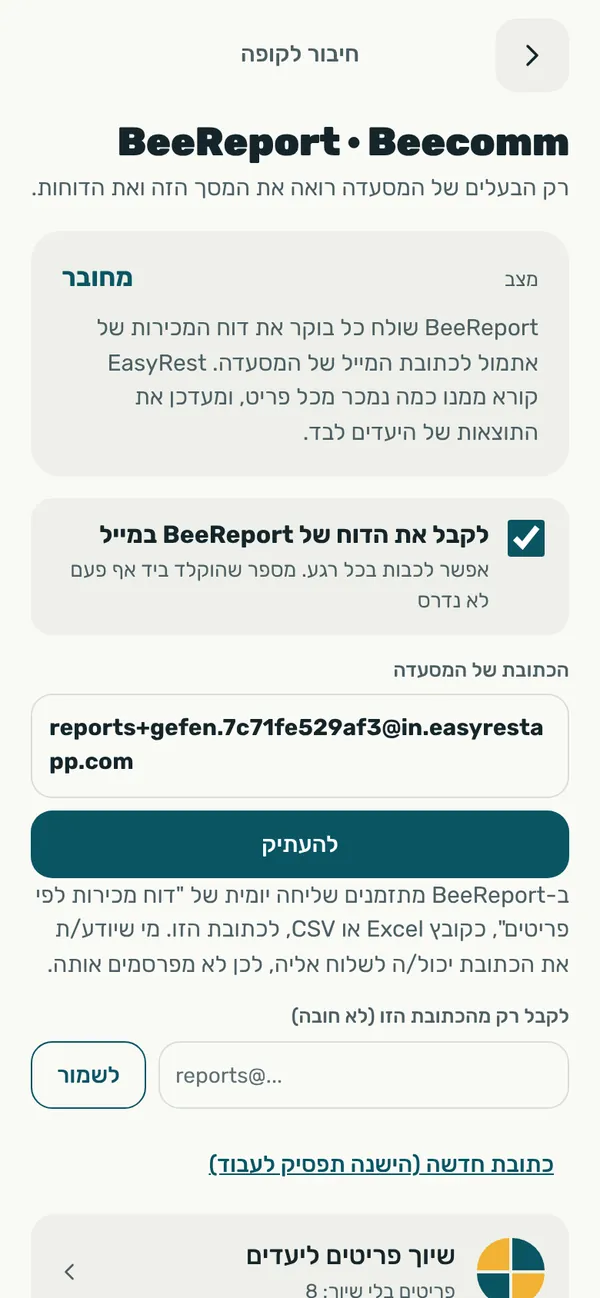
BeeReport connection

BeeReport

Connect BeeReport and the sales report it e-mails fills in yesterday's results on its own. The amounts stay with the owner.

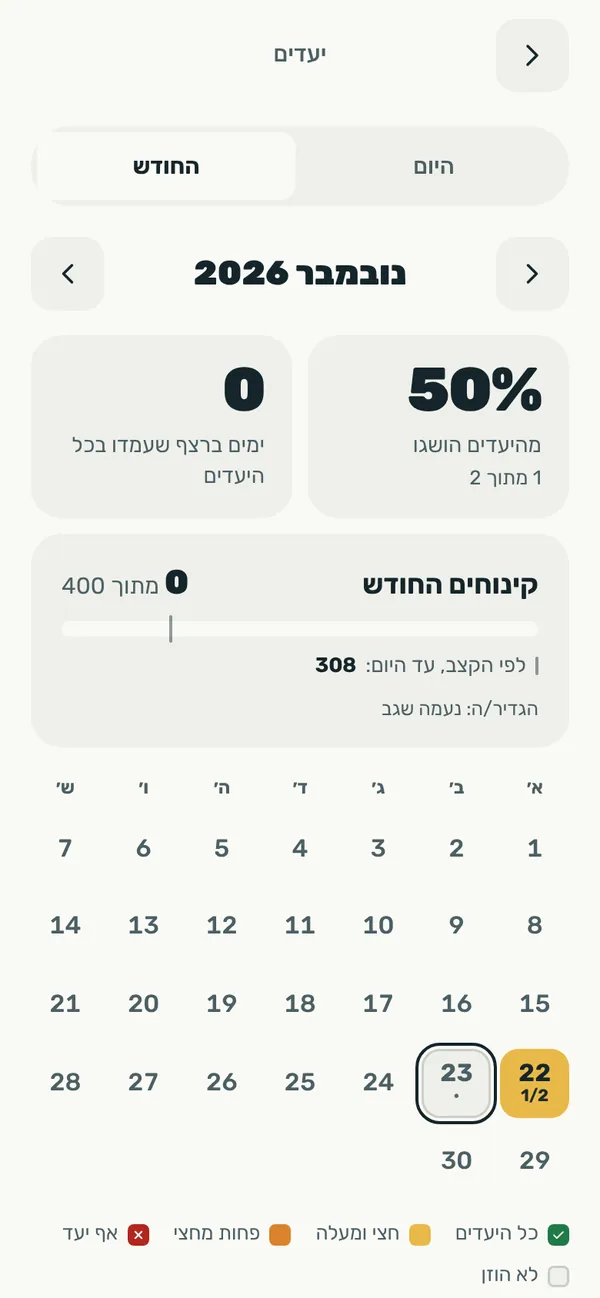
The monthly target board

Monthly targets

A monthly board with every day the targets were met, and the pace towards month end.

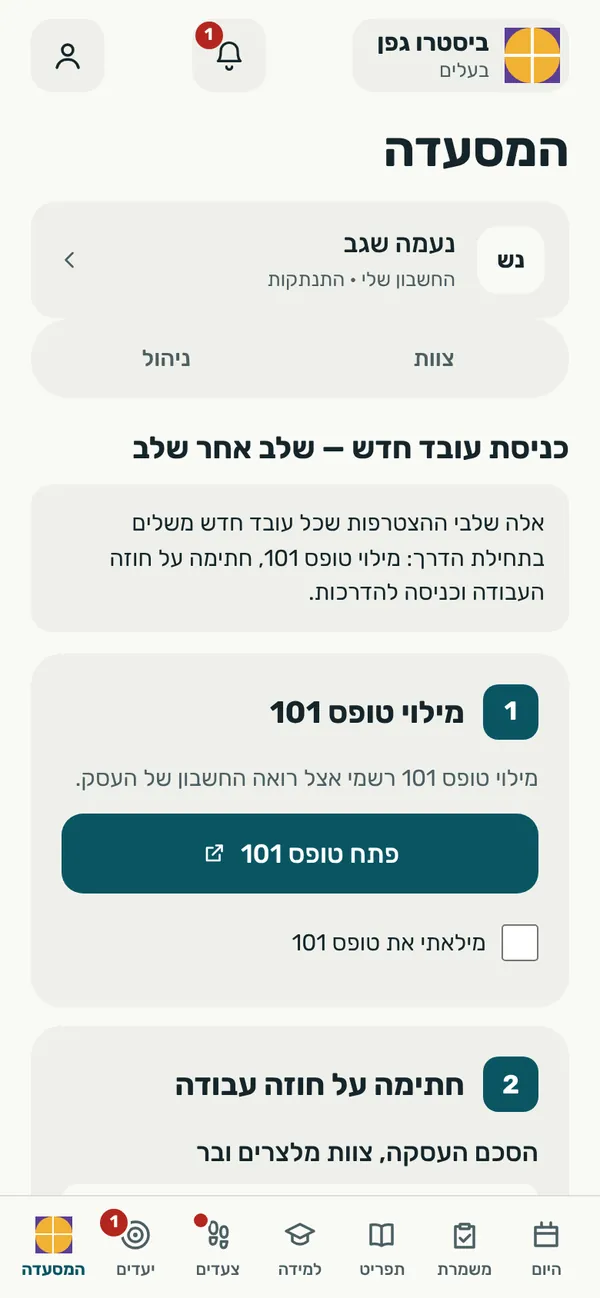
Day one

The team

Onboarding: Form 101 and contract

Onboarding

A new hire fills in Form 101, signs the employment contract and goes through training, all in the app and before the first shift. The documents stay with the restaurant.

  • Exempt a returning employee in one tap
  • Documents open only to owners and managers
  • When someone leaves, the documents stay with the restaurant
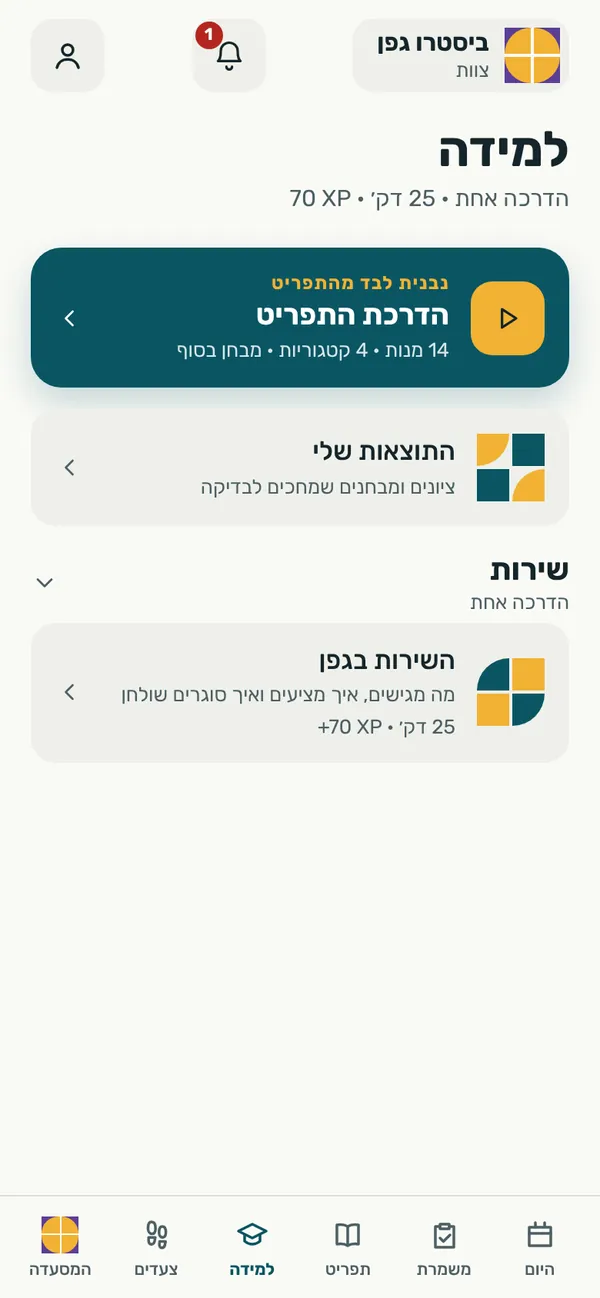
Training and quizzes

Training and quizzes

Lessons, quizzes, and a menu training built on its own from the restaurant's dishes.

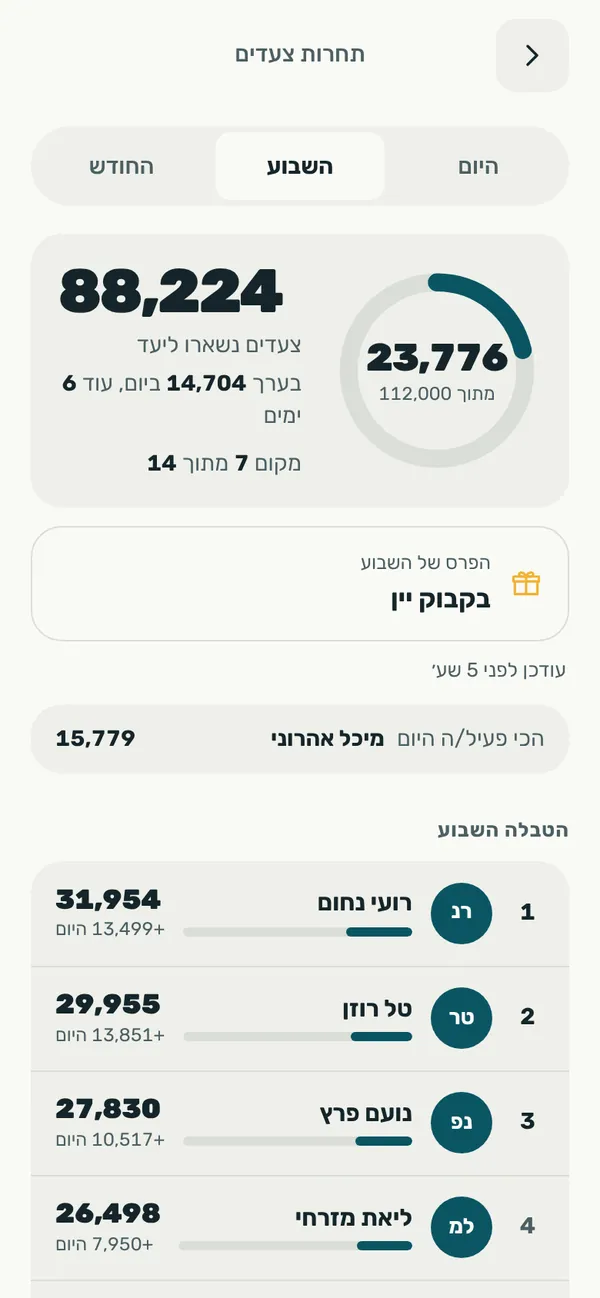
The weekly steps challenge

Steps challenge

A weekly steps table for the team, with a prize for the winner. Steps are read from the phone and can't be typed in.

Team roles

Permissions by role

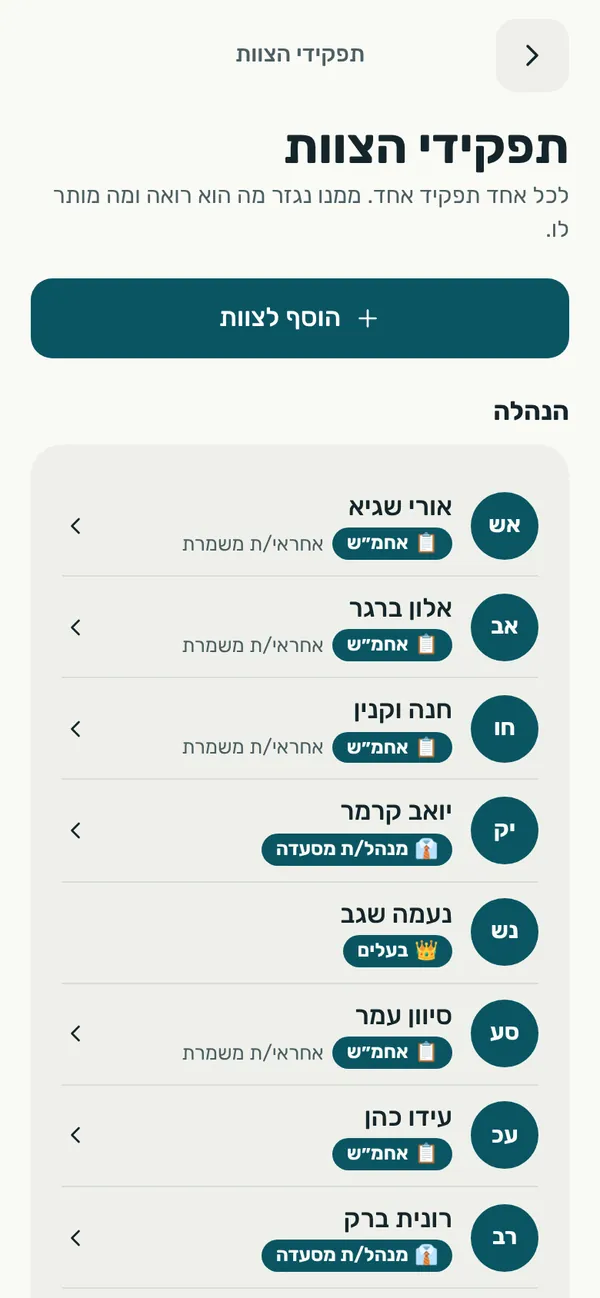
Owner, manager, shift lead, waiter and bartender. Each sees only what concerns them.

The menu on an employee's phone

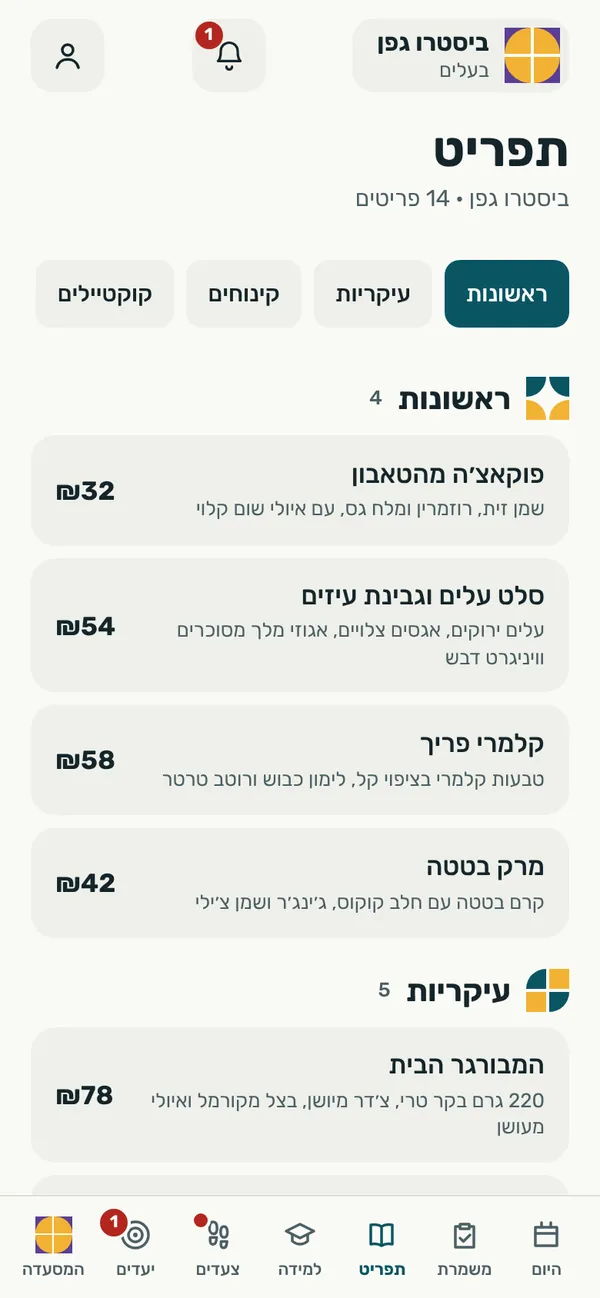
Menu

The restaurant's menu on every employee's phone, with prices, descriptions and allergens.

Everyone sees what they need. The money stays with the owner.

Permissions are enforced on the server, not just on the screen. The owner decides the rest.

WhatOwnerManagerShift leadWaiter, bartender
Today's brief and targetsWithout shekel targetsWhen the brief is for everyone, without shekel targets
Setting targetsToday's, in units, and only their own——
Shekels sold on a targetOnly met or not, and a percentageOnly met or not, and a percentage—
Day closingToday's—
Notebooks, hours and takingsIf the owner allows—Only their own, if the owner allows
The BeeReport sales report———
Form 101 and the contract—Only their own
Repair costs——

This is how it looks for each person on the team.

Real screens from the app, with a sample restaurant. No sign-up.

    Arrow keys move between screens

    Not just software. Guidance from people who run a restaurant.

    EasyRest was built inside a restaurant that works every night. Whoever guides you knows the pressure of a Friday night, the Sunday stock count and the talk with a new hire.

    • Setting up together: the menu, the team, the first brief and the targets.
    • Restaurant advice on procedures, shifts, sales and costs.
    • [What else the guidance includes: Yam will write]
    Talk to someone who runs a restaurant

    For restaurants, bars, cafés and chains.

    Restaurants

    Kitchen, floor and bar working as one team, with one brief.

    Bars

    Night shifts that close after midnight, and cocktail targets.

    Cafés

    A young, changing team, fast onboarding and training on the phone.

    Chains

    Each branch with its own team and code, and an owner who moves between them.

    How to start.

    1. Sign up

      Open a restaurant with your e-mail address and get a restaurant code.

    2. Add the team

      The team downloads EasyRest, joins with the code, and you approve each person.

    3. Start working

      Send the first brief and switch on the modules the restaurant needs.

    What restaurants say.

    [An owner's quote]
    [Name, restaurant, city]
    [A manager's quote]
    [Name, restaurant, city]
    [A shift lead's quote]
    [Name, restaurant, city]

    A price that fits your restaurant.

    The price depends on the size of the team and the modules you choose. Leave your details and we'll come back with an offer.

    [Plans and prices will go here]

    • Nothing to install: apps in the stores, and a website for the computer
    • Every module switches on and off separately
    • Hebrew, English and Arabic, each person in their own language
    • Guidance from people who run a restaurant

    Questions we get asked.

    Which devices does it run on?

    On iPhone and iPad from the App Store, on Android from Google Play, and on the computer in any browser at app.easyrestapp.com. Same system and same account everywhere.

    Does the team need to install anything?

    Each person downloads EasyRest and signs in with the restaurant code and their e-mail, or with a username and password from the manager. The manager approves everyone who joins.

    Can we use only some of the modules?

    Yes. Every module is switched on and off separately. A module that's off doesn't appear to the team at all.

    Who sees the money?

    Owners see everything. On shekel targets, managers and shift leads see whether the target was met and by what percentage, without amounts, and a shekel target isn't sent to the rest of the team in the brief. Managers see the hours and takings notebooks if the owner allows, and an employee sees only their own notebook, if the owner allows. All of it is enforced on the server.

    How does the BeeReport connection work?

    Each restaurant gets its own e-mail address. When BeeReport sends its daily sales report there, EasyRest reads how much of each item was sold and updates the target results. A report that can't be read is kept, and the owner is told and can type the numbers in.

    Which languages?

    Hebrew, English and Arabic. Each person picks their language in one tap.

    Can we work on the computer?

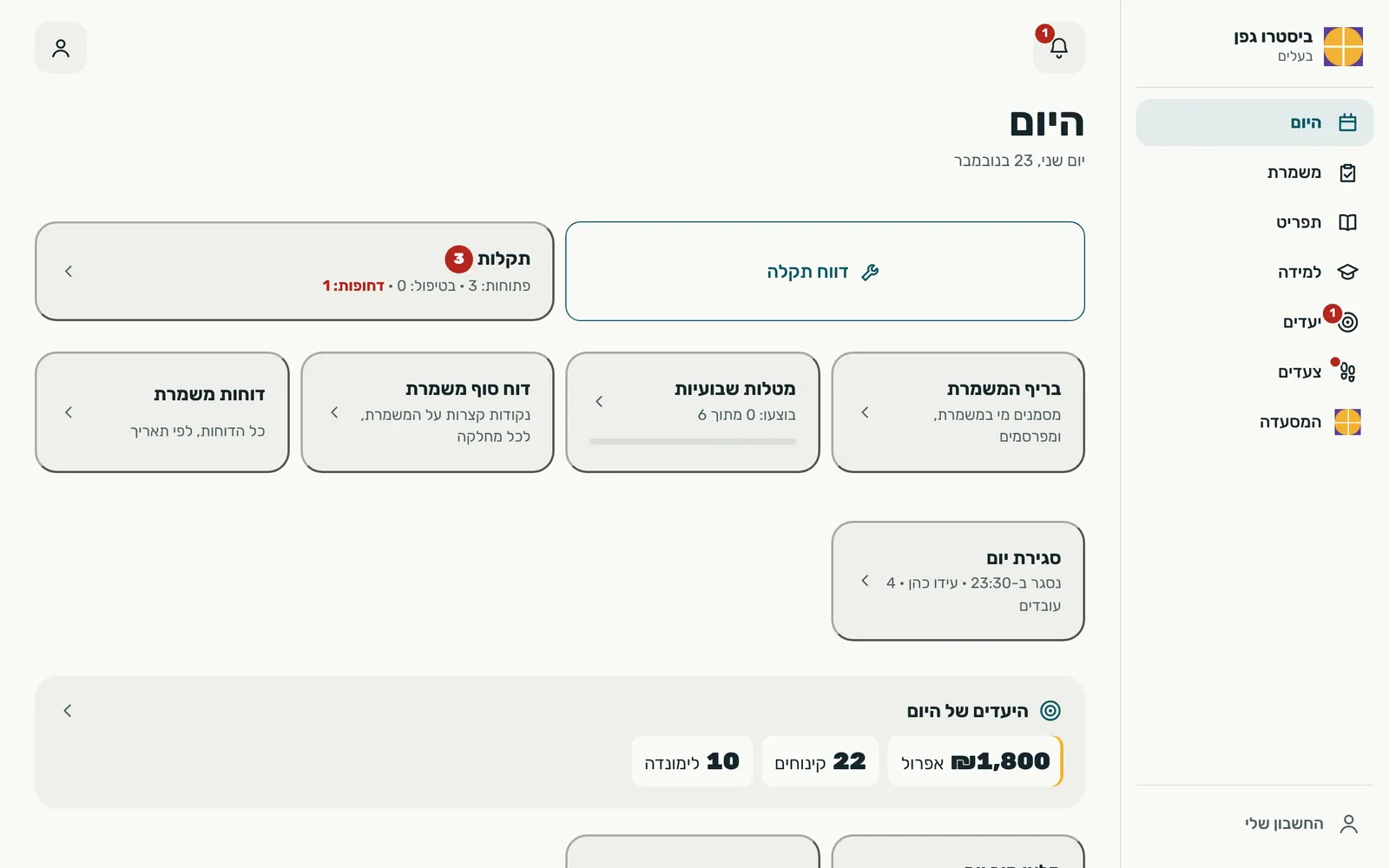
    Yes, at app.easyrestapp.com, with the same account. On a wide screen there's a side menu, and the hours, closing, notebooks and targets screens spread out across the width.

    Is the data secure?

    Every restaurant is isolated from the others, and the data is kept on encrypted Supabase servers. EasyRest staff access to a restaurant's account requires two-step verification, and every entry is written to a log that can't be edited. Details in the privacy policy.

    What does it cost?

    The price depends on the size of the team and the modules. Leave your details and we'll come back with an offer.

    Let's see it in your restaurant.

    Leave your details and we'll get back to you for a short demo. Or start on your own now, and in a few minutes you'll have a restaurant open on EasyRest.

    Leave your details

    We'll use your details only to get back to you. Privacy policy